


Microsoft Power Apps is often the default choice for internal apps.
It comes bundled or discounted with many Microsoft 365 licences, integrates nicely with Excel and SharePoint, and works well for office-style workflows: approvals, HR forms, simple dashboards.
But logistics is not an office job.
Drivers, dock workers and pickers are not sitting behind dual screens.
They’re moving, scanning, loading, and dealing with patchy Wi‑Fi and small rugged devices. That’s where we regularly hear operations teams say they’ve hit the limits of Power Apps:
- “It’s too expensive to license all our temporary staff
- “The screens are unusable on our Zebra handhelds”
- “We need a developer just to change a dropdown”
Power apps: it's marketed for business users, which only software developers can use, but a technology most software developers don't want to use.
If you’re looking for a Power Apps alternative for logistics, the real question is: Which platform actually works for mobile, scanner-heavy, logistics operations?
Below we look at three real alternatives and then compare them side by side.
Why Power Apps struggles in logistics
Before we talk about alternatives, it’s worth naming the main friction points logistics teams experience with Power Apps.
1. Per‑user licensing doesn’t fit operational reality
Power Apps Premium is typically sold as a per‑user licence (around $20/user/month, with lower prices at very large volumes) [1]. That can be fine for a stable internal user base. But in logistics, you have:
- temporary workers
- seasonal peaks
- sub-contractors and agency staff
Every new person needs a licence, even if they only work a few weeks a year.
2. Tablet-first UX on small devices
Power Apps can run on phones and scanners, but many apps are designed desktop/tablet-first. On a 4–5 inch handheld, you often get:
- cramped lists
- small tap targets (not glove friendly)
- horizontal scrolling to find the right field
You can fix this with careful UX work, but it takes time and experience
3. Complex logistics logic is not really “no-code”
Real inbound/outbound flows often require:
- conditional branching
- repeated scan → validate → capture cycles
- offline logic
- integration into a WMS/TMS
These usually need Power Fx formulas and Dataverse modelling, closer to development than “drag and drop”.
4. No logistics-specific building blocks
To implement things like:
- Dimensioning
- Multi-barcode capture
- Bill of lading (BOL) & label optical character recognition (OCR)
- Damage capture
… you’re stitching together Azure Cognitive Services, connectors, scripts and external APIs.
Logistics teams often want these out of the box.
1. Optioryx Flux - mobile data gathering for logistics
Best for: logistics and supply chain operations that need fast, configurable mobile flows on small devices (phones, Zebra/Honeywell handhelds) for inbound, outbound, returns, quality checks and inspections.
Optioryx Flux is a no-code mobile data and workflow platform built around real-world logistics processes. Instead of trying to be a “build anything” platform, it focuses tightly on digitising what still lives on paper, WhatsApp or ad-hoc spreadsheets: checks, scans, measurements and photos on the floor.
What makes Flux different
- Mobile-first, any device: Runs on smartphones, tablets and rugged scanners. The UX is designed so a picker or dock worker can move through a flow with one thumb, not a mouse
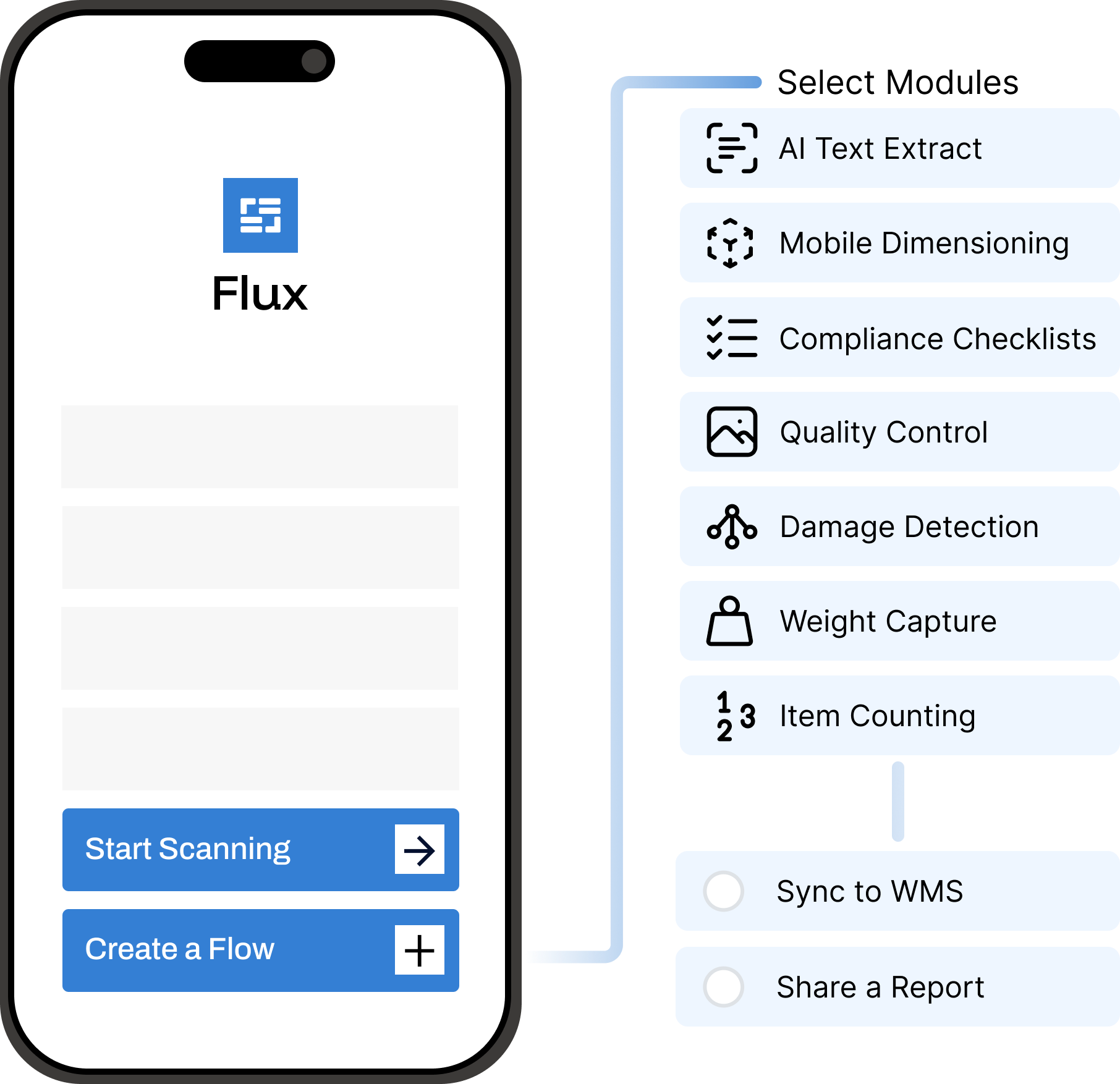
- Drag-and-drop workflow builder: You build flows visually with blocks like Scan, Question, Photo, Dimension, GPS. Updating a flow (changing a dropdown, adding a question, tweaking logic) is something an operations manager can do, then push live to devices immediately.
- Easy flow and user management:
- Create multiple flows: e.g. different inbound vs outbound flows.
- Different question sets per customer, lane or building.
- Assign users or roles to specific flows so they only see the screens they actually need.
- Logistics-specific logic without code. Examples of what you configure without writing formulas:
- If package type = Master carton, then ask for inner SKU quantity.
- If Damage = yes, then enforce a photo step and a reason dropdown.
- If Return type = “Customer complaint”, route the record to a specific team.
- Built-in AI dimensioning and vision. Flux includes logistics-focused AI capabilities out of the box:
- Mobile dimensioning – measure parcels/pallets via the camera instead of expensive static dimensioners.
- AI vision / OCR – extract key fields from labels or documents (like BOLs or packing slips).
- Multi-barcode capture – read order id, shipment id and SKU in a single scan when possible.
On most general platforms, these require separate AI services, integration work and extra billing.
- Pricing model aligned with logistics: Flux has a free tier and paid plans that scale by device & usage, not per user, ideal for shared devices and rotating staff. Enterprise pricing can be customised. For logistics operations where dozens of people use the same pool of handhelds, that’s usually closer to reality than naming every individual user in a licensing portal.
2. Mendix – enterprise low-code for complex logistics platforms
Best for: large enterprises building multi-app, multi-year logistics platforms.
Mendix is a heavyweight low-code platform used for complex, integrated systems touching ERP, TMS, WMS and customer portals.
What Mendix is good at
- Complex, integrated systems: If your goal is to build a custom control tower that integrates SAP, your TMS, external carrier APIs and customer portals, Mendix is a strong candidate.
- Offline-first mobile apps: Mendix has robust options for building offline-capable mobile apps, suitable for drivers or field staff in weak-signal areas.
- Enterprise governance: Role management, environments, deployment pipelines and compliance features are all there, which suits large IT organisations.
Trade-offs
- Requires trained Mendix developers
- Heavy for simple inbound/outbound flows
- App/user/environment pricing can get complex (and costly) if you only need a few mobile apps
For many logistics companies, Mendix is best used for strategic, big-scope systems rather than quick wins like digitising a single inbound check.
3. Google AppSheet – simple no-code forms for logistics teams
Best for: smaller logistics teams or specific departments that live in Google Workspace and mainly need simple digital forms and checklists.
AppSheet is a no-code platform that turns spreadsheets(Google Sheets, Excel) into mobile and web apps. AppSheet
What Google AppSheet is good at
- Fast to start: You can connect a sheet and generate basic app in minutes
- Simple logistics use cases: Delivery confirmation forms, driver checklists, basic vehicle inspection logs, simple inventory or cycle count forms.
- Familiar data structure: Your “database” is usually still a spreadsheet, which many teams find easy to understand.
Trade-offs
- Scanning and AI are present but relatively basic; there are no logistics-specific building blocks [2].
- As data volume and complexity grow (multiple sites, many thousands of records), performance and governance become more of a concern.
- Pricing is per-user: Starter and Core are around $5 and $10 per user per month respectively, with enterprise tiers from about $20 [3].
It’s a good fit when you just want to replace a clipboard with a simple mobile form, not when you’re rethinking your entire inbound/outbound process.
Which Power Apps alternative makes sense for you?
| Criteria | Microsoft Power Apps | Optioryx Flux | Mendix | Google AppSheet |
|---|---|---|---|---|
| Primary focus | General internal business apps for organisations. | Mobile data capture for logistics and field operations. | Enterprise-grade web and mobile apps across many domains. | Simple business apps built on spreadsheets and cloud data. |
| Fit for logistics | Can be used for internal logistics tools, but not specialised. | Designed for logistics: inbound/outbound checks, inspections, returns, audits. | Strong choice for large, custom logistics platforms and portals. | Good for basic forms, checklists and smaller logistics flows. |
| Mobile UX on handhelds | Runs on iOS/Android via Power Apps app, but many apps feel tablet-first on small scanners. | Optimised flows for small screens and rugged devices; large tap targets and minimal scrolling. | Can deliver excellent mobile UX, requires design and development effort. | Simple layouts that work fine for forms; not tuned for intense scanning. |
| Building & changing flows | Visual designer plus Power Fx formulas; more complex scenarios need skilled builders. | Drag-and-drop flow builder; operations teams can change questions and logic and push directly to devices. | Powerful visual microflows; changes usually handled by Mendix devs as part of projects. | Very quick to build simple apps from sheets; complex logic can become harder to maintain. |
| Logistics-specific features | Available via separate Azure services and billing. | Built-in mobile dimensioning, AI vision for labels/docs, barcode counting and multi-field scans. | Logistics features implemented with custom development and integrations. | Basic barcode scanning and OCR on higher tiers; not specialised for dimensioning or damage flows. |
| User & permission model | Deep Azure AD integration; good governance, but per-user licences make temp staff management heavy. | Simple assignment of users to flows and roles (e.g. inbound vs outbound or per customer); higher tiers allow many users on shared devices. | Enterprise-grade governance with environments and roles, managed by central IT. | Access tied to user accounts and domains; easy for small teams, less granular for complex 3PL setups. |
| Offline behaviour | Strong offline support with Dataverse when correctly configured; more work with other data sources. | Offline-first capture of scans, photos and answers with automatic sync later; tuned for patchy warehouse networks. | Robust offline options for mobile apps when designed by the dev team. | Offline is supported on paid plans and works fine for smaller apps and datasets. |
| Pricing & TCO for logistics | Per-user Premium licences, with additional Dataverse capacity, storage and Azure AI/automation often billed as add-ons. Good fit for stable internal user bases; gets expensive for large, temp-heavy workforces. | Free tier plus paid plans that are primarily device/usage-based, with custom enterprise pricing available. All core logistics features included. More predictable for shared devices and rotating staff. | Pricing is app- and user-based (Free, Pro, Enterprise), with total cost shaped by user types, app nodes, environments and support tiers. Very powerful platform but high TCO if you only need a few focused mobile flows. | Per-user plans. Good value for small teams; costs scale with headcount and higher-tier needs. |
Choose Mendix if you’re building large, strategic logistics software, control towers, portals, multi-app ecosystems, with an in-house development team.
Choose AppSheet if you want quick, simple mobile forms and your organisation already runs on Google Workspace.
Choose Optioryx Flux if your priority is mobile execution in logistics, scanning, checking, measuring and documenting what happens on the floor, with pricing that fits shared devices, rotating worker sand specialised logistics features out of the box.
Flux is the most natural PowerApps alternative for logistics because it is built around the realities of the supply chain, not the office.

Questions?
For logistics operations that rely heavily on mobile scanning, inspections, dimensioning and real-time data capture, Optioryx Flux is the strongest PowerApps alternative. It provides built-in logistics features, a mobile-first UX, offline support and device-based pricing suitable for rotating staff and shared scanners.
Power Apps is designed for general business apps and office workflows. Logistics teams often switch because Power Apps requires per-user licensing, advanced formulas for basic logistics logic, and separate AI services for tasks like dimensioning or document OCR. It also needs careful tuning to work well on small handheld devices.
Yes, Mendix is ideal when building large, enterprise-level logistics systems such as customer portals, control towers or integrated multi-app platforms. It is powerful but usually requires trained developers and is less suited for quick mobile check flows or simple scanning processes on the warehouse floor.
AppSheet works well for simple mobile forms and teams already using Google Workspace. It’s not built for high-volume scanning, dimensioning or complex logistics workflows, so it’s better suited for lightweight tasks like driver checklists or simple inspections.
Flux includes mobile dimensioning through the device camera, which can replace or supplement traditional dimensioning hardware in many inbound, outbound and claims workflows. It is especially useful for distributed or multi-site operations.
No. Flux runs in warehousing, transport, 3PL sites, cross docks, returns handling and field inspections. You build the flow around the task, wherever it happens.