












Every improvement is a trade-off.
Signs you have suboptimal slotting
Slotting quality erodes over time and it is most visible during peak season.
Slotting was done once.
Slotting lives in Excel.
Only ABC slotting.
The WMS does it, without a warehouse layout map.
New SKUs get whatever location happens to be free.
No updates to slotting before or after peak season.
SKU frequency and pairing ignored.
Make slotting actionable with Pulse
Re-slotting
Full re-slot
In replenishment
SKU housekeeping
Simulate the gain
before you touch the floor.
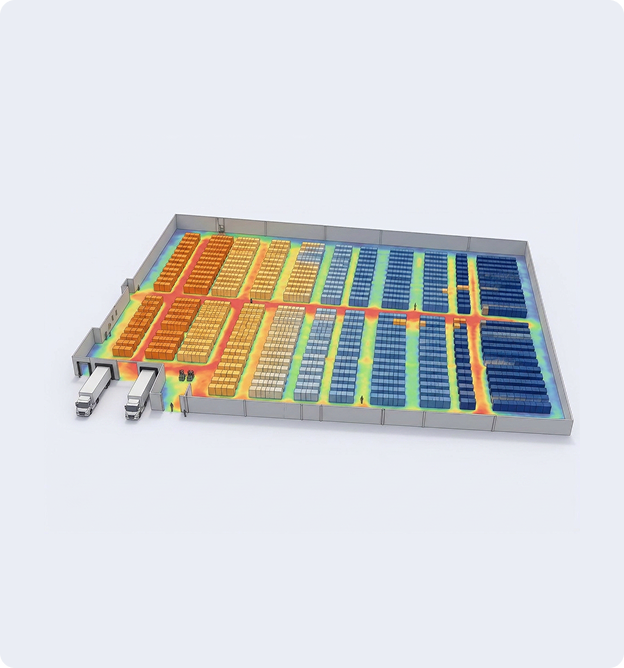
Run slotting strategies against your own order history in a warehouse digital twin, see the projected gain, then improve in small steps over days or weeks.
See it on your own warehouse data.
Book a personalised walkthrough. We will look at your layout and a slice of your order history, show you where the picks actually cluster today, and give you the projected gain before you commit to anything.
- ✓45 minutes, on your data, no obligation
- ✓You keep the business case either way
- ✓If the number is not worth acting on, we will say so
6 slotting mistakes every warehouse makes
Every slot plan erodes over time. Order profiles shift, new SKUs arrive and volumes climb, so the SKU placement plan that fit last quarter stops fitting.
Questions?
Slotting is deciding which SKU goes in which location. A good plan weighs pick frequency, what sells together, and the limits of each location, such as weight, temperature or expiry. It cuts walking and frees up space, and it starts decaying the moment your order profile shifts.
ABC slotting ranks SKUs by pick frequency. The fastest 20% get the best locations near packing, the next 30% get secondary spots, and the slowest 50% go to the back.
It is a good first pass and a poor final answer. It assumes every location can hold anything, which stops being true once weight limits, temperature zones, crush rules and expiry come in. It also ignores what is ordered together, and it cannot rank a new SKU that has no history yet.
There is no industry standard. Guidance runs from twice a year for spreadsheet operations, to quarterly, to continuous. The interval matters less than the size of the list. Ten to twenty moves at the end of a shift get done. An annual project usually does not.
Five files: your warehouse layout, location data with sizes and capacities, SKU master with weight and cube, order history, and your current SKU-to-location assignment. Around a year of history covers seasonality.
The more you want to optimize for, the more your WMS has to give us. Travel distance needs layout and orders. Add expiry, temperature zones or crush rules and each one needs its own field. We check what you have before anything runs.
Most WMS modules assign locations. They do not optimize them against competing constraints, they often cannot handle a SKU that floats between locations, and they rarely model your real layout or travel distances. Pulse runs on top of your WMS and writes the result back, so you keep the system of record.
There are 3. Manual file import and export, flat files over CSV or SFTP, or a direct API connection to your WMS, TMS or ERP.