
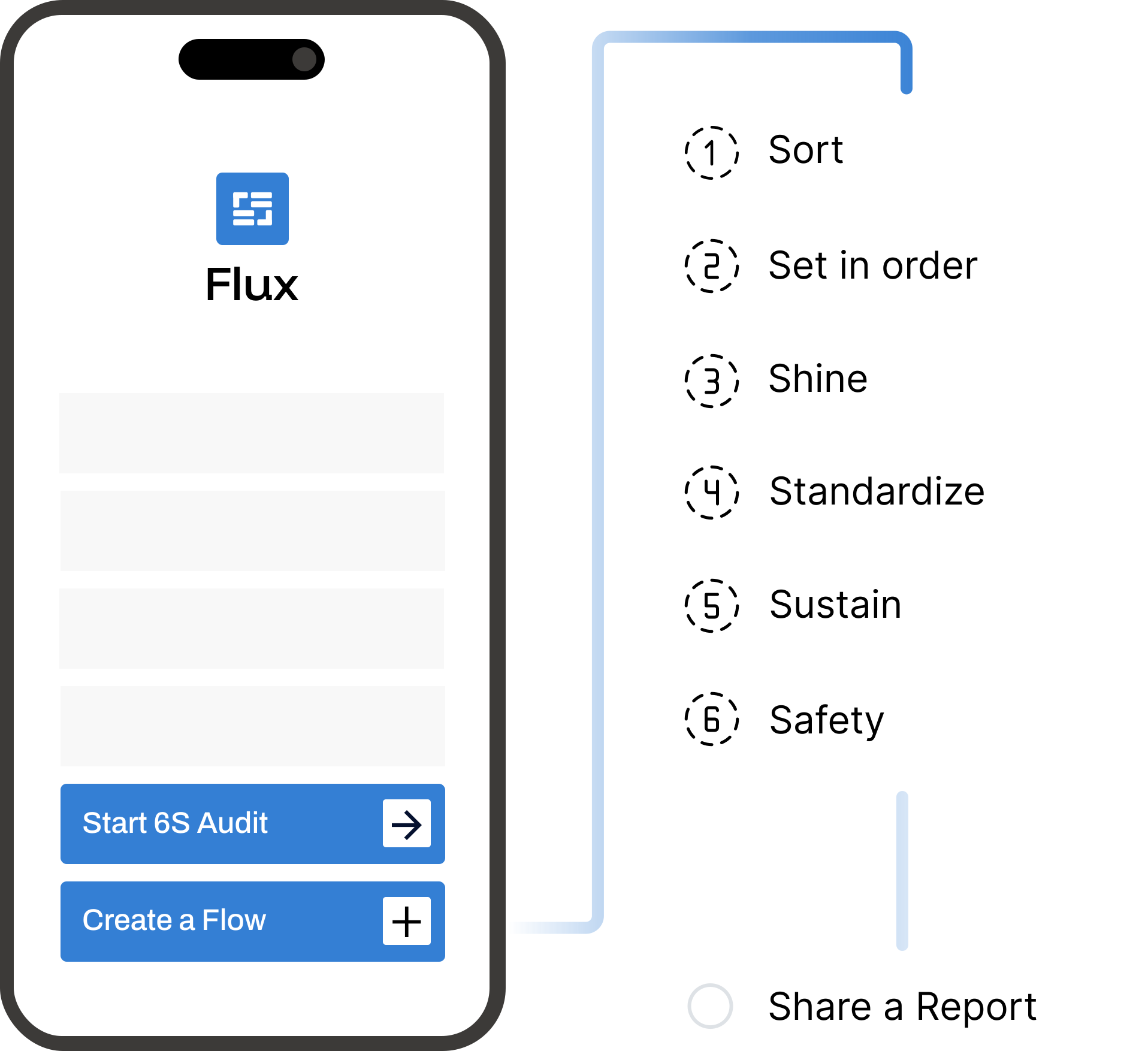










Mobile-First 6S Audit App
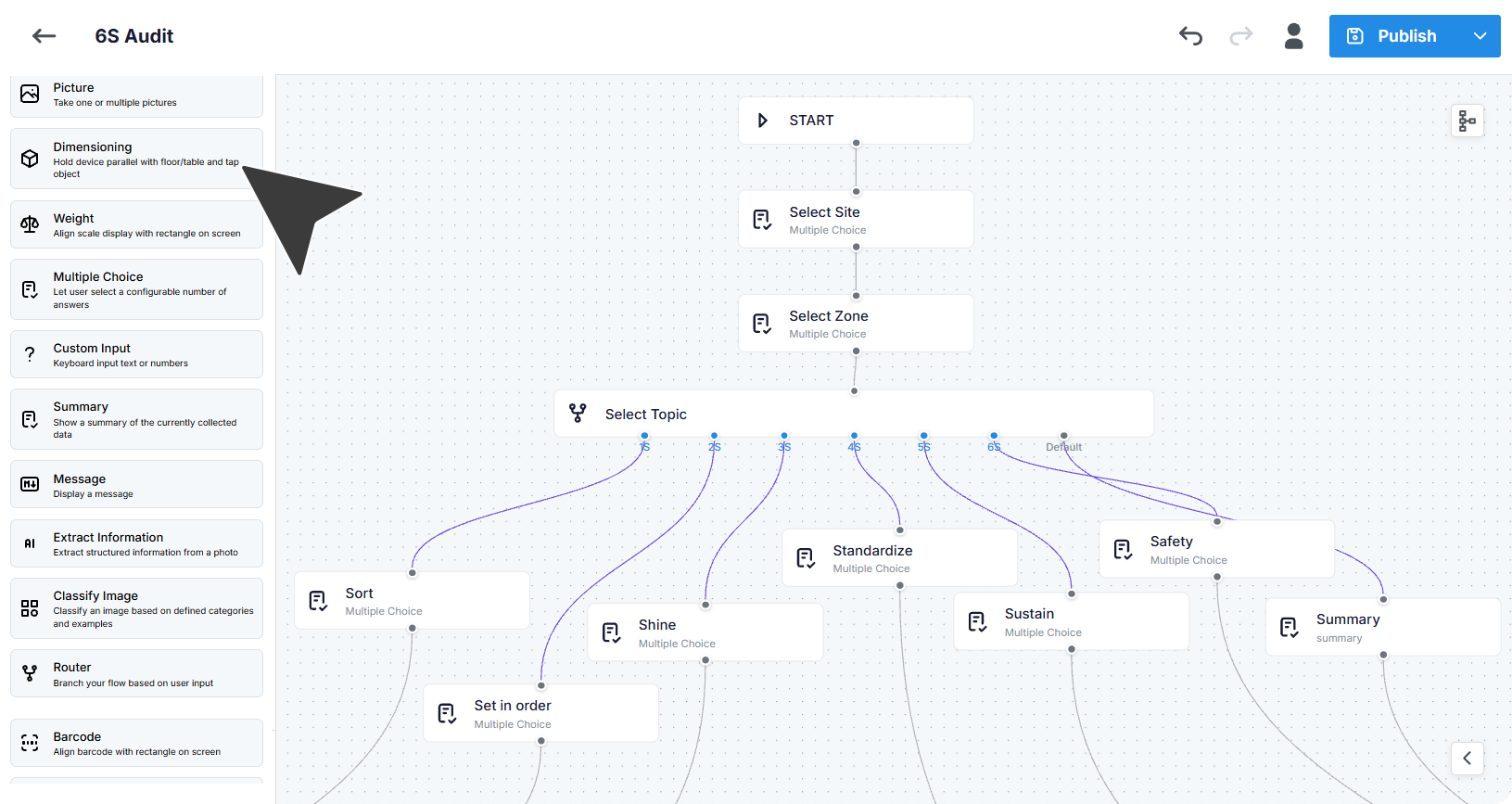
Build 6s audit flows in a drag-and-drop flow builder and publish to mobile device.
6s Audits Directly on Your Phone
How teams simply the 6s audit process by using Flux

Consistent 6S audits

Digital audit checklists

Evidence-based reports

Works on any device
Digital mobile 6S audits with proof
From simple checklists and photo gathering to advanced AI vision scanning that support your 6S audits.
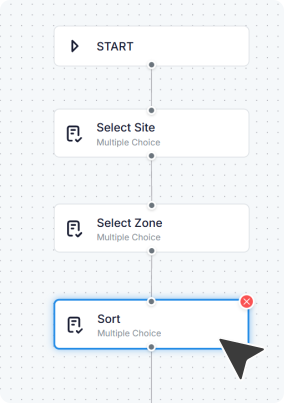
Drag & Drop Audit Builder
Create step-by-step 6S flows with a drag-and-drop builder and publish to mobile devices. No code required.
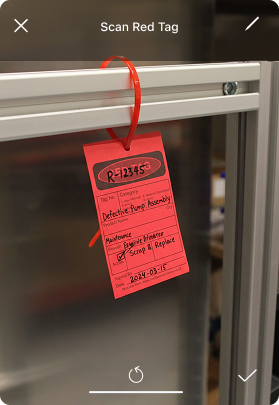
Capture the Right Data
Create audits with simple checks and scoring, visual proof and AI vision to extract text or document damage.
Multilingual Audits
Create audits in multiple languages and assign them to specific employees or teams, with ownership by zone, shift, or site.
.svg)
Automated Reports
Generate 6s audit report as soon as the audit is finished and share it as a PDF, link, or email.
Step-by-Step Flows For Any Audit


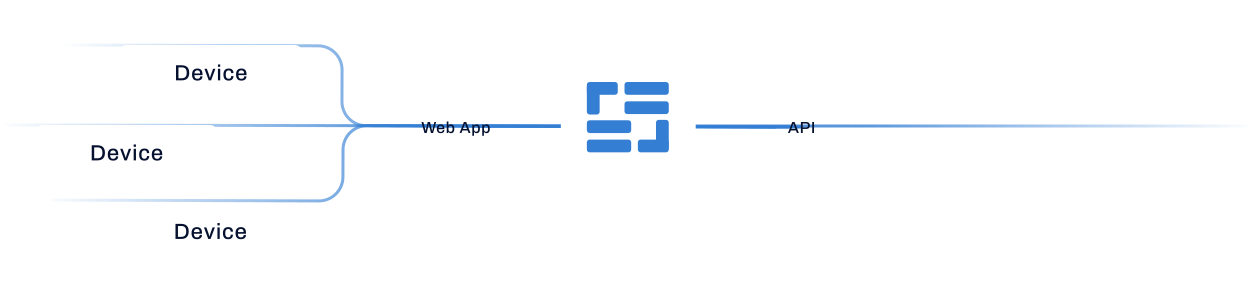
Easy Data Sharing
with Teams and Systems
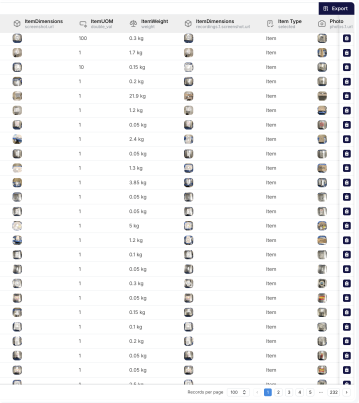
All audits in one place ready for sharing

Get a Tailored Walkthrough
Let's show you how our 6S audit app can help you

Questions?
Optioryx 6S audit software (Flux) is free to use. If you need more devices, flows, or higher usage limits, pricing is based on usage and you can move to a paid plan.
No. Flux works on any iOS or Android device, so teams can run 6S audits on phones or tablets already used on the floor.
Yes, your team can create different data capture flows. You can build and edit flows for various processes, including, but not limited to, cargo inspections, return logistics, or inbound receiving. Connect different modules based on your processes: from simple data capture to advanced AI modules.
Yes. Flux works offline, and data captured without internet will sync automatically when the device reconnects.
Yes. Flux can connect with other systems through API. You can also start using it without integration